Are OKX Spot Fees Charged per Order or per Fill? Partial Fills Explained
One OKX spot order can produce several fills and several fee entries. Learn what happens when an order is partly filled and canceled, why maker/taker status can differ by execution, and how to reconcile the fees fill by fill.
Published Revised 7 min read
Rates and amounts in this article are from when it was published and may have changed since. Current figures: Fee calculator · Binance vs OKX fees (updated daily)
Are OKX spot fees charged once for the whole order or separately as the order fills? The practical answer is: the fee is tied to executed quantity. If one order is matched in several fills, your records can show several fee entries. If an order is only partly filled and you cancel the remainder, the executed part can incur a fee; the unfilled remainder does not become a spot trade.
This guide is for OKX spot users who see a fee total that does not match a quick order-level estimate. It explains which records to compare and how to reconcile a partially filled order without assuming that one order always equals one trade.
Rates, product availability, fee tiers and interface labels vary by jurisdiction and account. Do not use a generic percentage to reconstruct a historical charge. Use the rate and fee currency recorded for your actual fill, and confirm the rules shown for your region.
This guide focuses on how OKX spot fees apply when an order fills in several parts. To see how it fits with everything else you pay on OKX, start with our OKX fees overview, which covers trading, funding and withdrawal costs in one place.
The key distinction: an order is an instruction; a fill is an execution
An order is the instruction you submit: buy or sell a quantity, perhaps at a specified price. A fill is the part that actually matches with another order. One order can remain completely unfilled, fill in one match, or fill gradually against several orders.
OKX's official Trading Fee Rules FAQ gives the spot formula as the fee rate multiplied by the amount of crypto bought or sold when the order is filled. It also notes that a market order may be partially filled and that an unfilled portion may be canceled. The FAQ, updated September 9, 2026, adds that the final fee cannot be known in advance because an order may fill as maker or taker, in several parts, and at a different price. Those rules lead to a useful accounting principle: calculate and verify fees from executed quantity, not the quantity originally requested.
If you first need the difference between liquidity roles and account tiers, read our guide to OKX maker/taker fees and checking your actual rate.
What each order outcome means for fees
| Final order outcome | Executed quantity | What to reconcile |
|---|---|---|
| Canceled without a fill | 0 | There is no executed spot quantity on which to charge a trading fee. |
| Partly filled, then canceled | Greater than 0 but below the order quantity | Add the fees attached to the completed fills only. Do not include the canceled remainder. |
| Fully filled | Equal to the order quantity | Add every fill under the order and keep fee currencies separate. |
| Partly filled and still open | Greater than 0 | Reconcile existing fills now; the remaining quantity has no fill yet. |
The labels may differ between the web interface, app and regional versions. The invariant is the same: check cumulative filled quantity, then inspect the executions that produced it.
Why one order can produce several fee entries
Suppose you place a limit order for a quantity larger than the liquidity available at your price. Part of it may match immediately. The rest can remain on the book and match later, perhaps at several times and against several counterparties. You see one order ID, but the system can record multiple trade IDs beneath it.
OKX's official API documentation exposes this separation directly: ordId identifies the order, while tradeId identifies a trade; the transaction fields also distinguish the latest fill size from cumulative filled quantity and provide fill fee information. You do not need to use the API to check an ordinary account. The field model simply confirms why an order-level total may be composed of multiple executions.
This is also why multiplying the original order quantity by one percentage can be wrong. The original quantity might not all execute, and the executions can carry different liquidity roles or appear with fees denominated in different currencies.
A limit order is not automatically a maker order
The words "limit order" describe a price condition, not a guaranteed fee role. According to OKX's fee FAQ, a limit order that matches an existing quote immediately is treated as taker execution. A limit order that rests on the book and is matched later is maker execution. Fees depend on how the order executes, not only on the order type selected on the form.
A multi-fill order therefore deserves fill-level inspection. Do not infer maker or taker status solely from the fact that you used a limit order. If the order types themselves are unfamiliar, our beginner guide to limit, market and stop orders explains the execution logic before you return to the fee records.
Why the received amount can look smaller than the fill
A spot pair has a base currency and a quote currency. In the examples in OKX's fee FAQ, a buy fee is deducted from the crypto bought, while a sell fee is deducted from the quote currency received. That can make the credited amount appear slightly smaller than the filled amount or gross proceeds.
Treat this as a reading aid, not a universal shortcut. Regional rules, promotions, rebates or a specific product can change the presentation. The fee amount and fee currency shown in the historical fill are the records to trust. Never add fees in BTC, USDT and another token as if they were the same unit; keep them separate or document the conversion price and timestamp.
Five steps to reconcile a partially filled order
1. Start from order history, not from the balance difference
Open the spot order history for the relevant date and trading pair. A balance movement can combine the trade, the fee and other activity, so it is not a clean starting point. Interface paths can change; OKX's current help material points web users to the trading page or Order center and app users to the order-history area.
2. Record the order ID and final state
Write down the order ID, requested quantity, cumulative filled quantity, average fill price and status. A status of "canceled" does not prove that nothing executed: a partly filled order can be canceled after one or more fills. The decisive field is the executed quantity.
3. Expand the fill details
For each execution, record the trade time, fill quantity, fill price, maker/taker role, fee amount and fee currency. Check the recorded historical values rather than today's published rate. Your tier or the pair's rule may have changed since the trade.
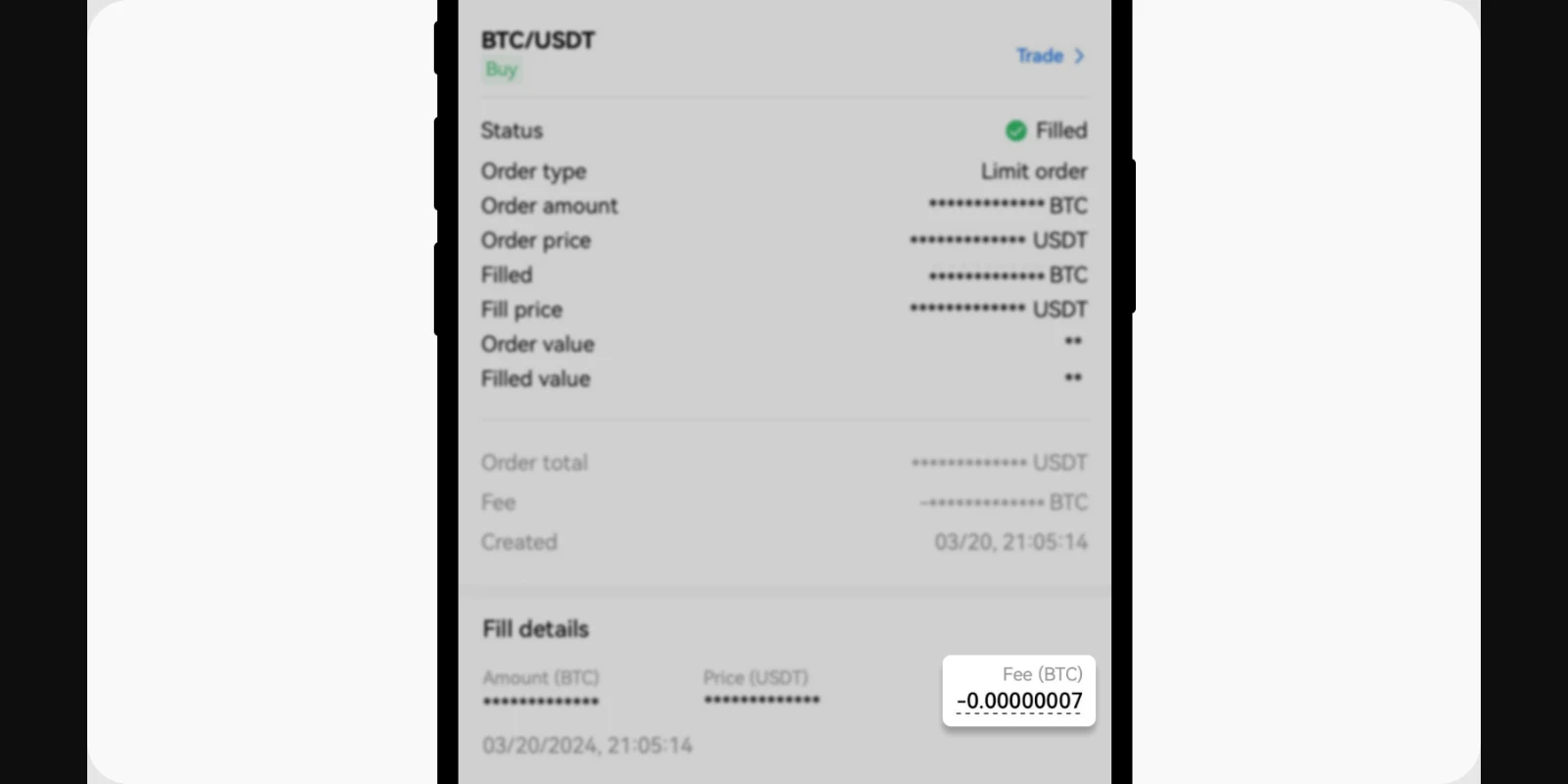
Official OKX app screenshot embedded in the Trading Fee Rules FAQ. Order amounts and prices are masked in the source image; source rechecked September 11, 2026.
4. Add fees by currency
Sum entries only when they share the same fee currency. The total of individual fill quantities should correspond to the order's cumulative filled quantity, allowing for display rounding. If a fee entry uses an unexpected sign, first determine whether the field represents a charge or a rebate; the API documentation, for example, describes negative fill-fee values as charges and positive values as rebates.
5. Export when the interface is too rounded or the order has many fills
OKX's official order and trading history guide says a downloaded trading-history report can include Order ID, amount, filled price, fee and fee unit. Use those fields to group rows by order ID and add fees by unit. Before contacting support, prepare the order ID, trade IDs, pair and times. Redact your user ID, email, balances and any other personal data from screenshots; never send passwords, verification codes, API keys or cookies.
Three common reconciliation mistakes
- Using requested quantity instead of filled quantity. The canceled or still-open remainder is not an executed spot trade.
- Assuming one order equals one fill. A single order can match several times, producing several fee records.
- Treating zero trading fee as zero trading cost. A zero-fee pair can still have a bid-ask spread. Our guide to OKX zero-fee pairs, spreads and Convert costs explains the difference; verify any time-sensitive pair eligibility on the official regional page before trading.
A compact reconciliation worksheet
Use one row per fill rather than one row per order:
| Order ID | Trade ID | Fill time | Fill quantity | Fill price | Maker/Taker | Fee | Fee currency |
|---|---|---|---|---|---|---|---|
| Copy from history | Copy from details | Include time zone | Do not use order quantity | Historical value | Read from fill | Historical value | Keep units separate |
After entering all rows, check two totals: the sum of fill quantities against cumulative filled quantity, and the sum of fees within each fee currency against the order or statement display. A mismatch after those checks is a reason to preserve the records and contact official support, not to guess a rate from the current fee page.
Bottom line
For an OKX spot order, reconcile fees at the fill level: verify executed quantity, execution role, fee amount and fee currency for each trade under the order. A partially filled order that is later canceled can still have fees on its completed fills, while the unfilled remainder does not incur a spot trading fee.
This article was checked against OKX's fee FAQ, order-history help and API documentation on September 11, 2026. Rules, interface paths and regional availability can change, so confirm the version available in your jurisdiction. This is an independent educational guide, not investment advice.
Want your own numbers? Fee calculator · Withdrawal fees